
Purge CDN Cache
Objective
This guide provides instructions on how to configure Content Delivery Network (CDN) Purge Rules using the F5 Distributed Cloud CDN service.
Content Revalidation and Purging
F5 Distributed Cloud CDN service offers two methods to refresh the content in cache – either revalidate using Soft Purge or purge the existing cached objects & fetch new content using Hard Purge.
Soft Purge (Content Revalidation)
Soft Purge does not immediately delete content, but marks content as expired. When expired content is requested, the CDN service performs a HEAD request to the origin. If the CDN finds that the content time-stamp is not changed, the existing expired entry is marked as active. This prevents a re-fetch from the origin and saves time and bandwidth in re-downloading the content.
Hard Purge (Purging)
Hard Purge invalidates and removes the cached object from the CDN Platform. When a new request for the object is received by the edge, a GET request is generated towards the origin to fetch and cache the object, while serving the object to the end user.
Purge Content in Cache
You can purge stale content from your cache either to remove them or to refresh them with new content. Perform the following steps to purge Content:
-
In the Content Delivery Network service, click Manage > CDN Distributions. The CDN distribution configuration page opens.
-
Click
...for the distribution for which you want to purge content, and then click Purge.
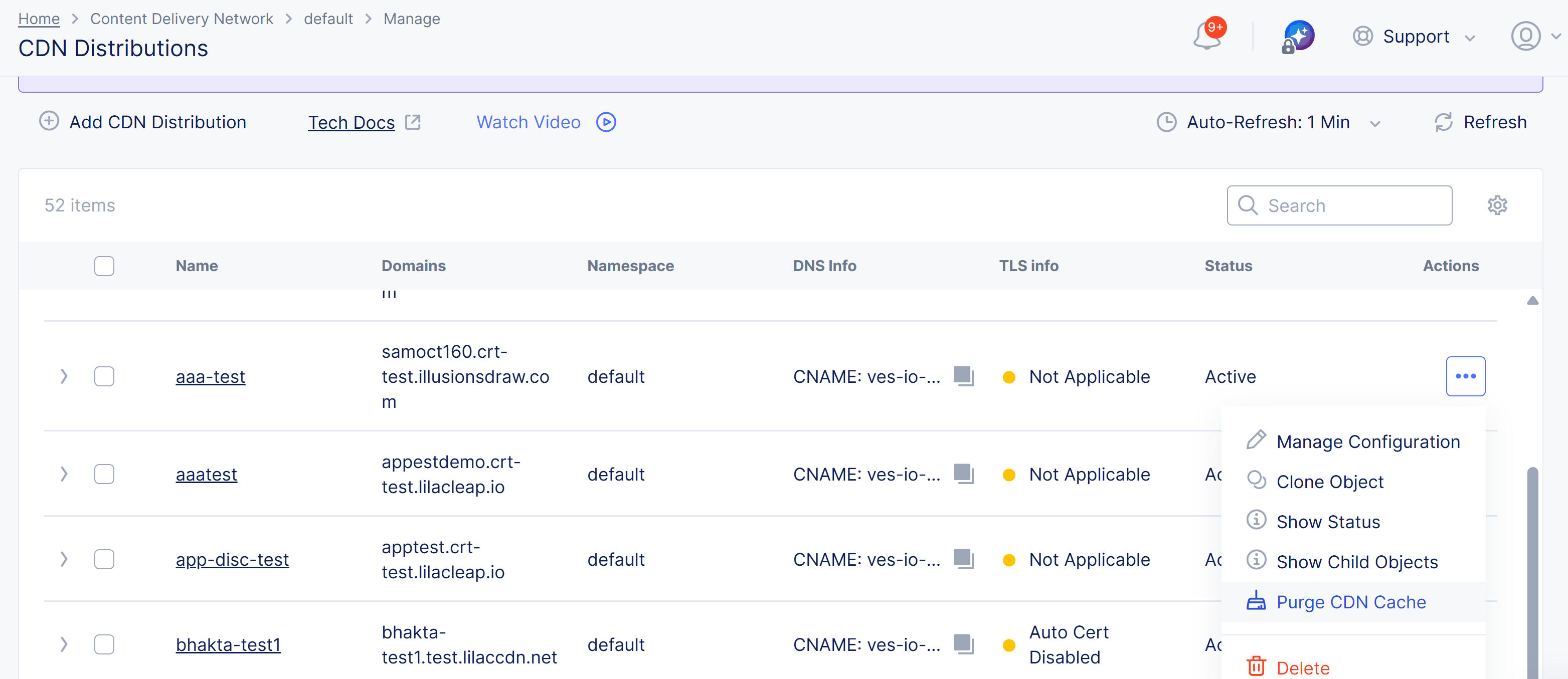
Figure: Purge Content From Distribution
-
Select what to purge from the Purge Options drop-down list.
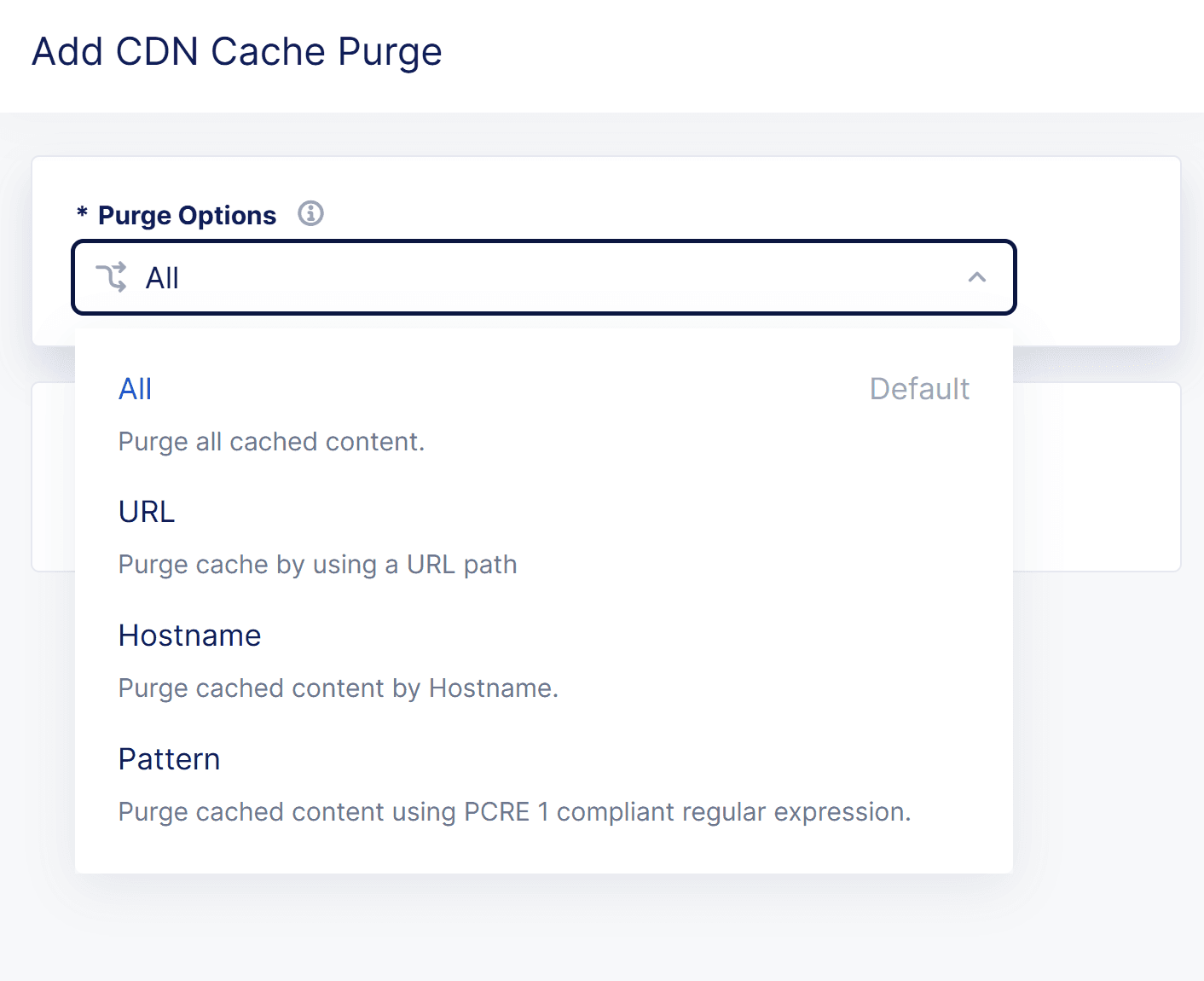
Figure: Purge Content Options
-
All: Your entire cache will be purged.
-
URL: Purge that portion of your cache identified by the entered URL.
-
Hostname:
-CDN enabled on HTTP Load Balancer Model- Set the
Hostnamefield to the domain name configured on the HTTP Load Balancer (HTTP LB). This value corresponds to the incoming host header received by the HTTP LB.-Standalone CDN Model (including Service Chain Model)- Set the
Hostnamefield to the origin server's Host Header value. To locate this value, navigate to:** CDN Distribution → Manage → CDN Origin Pool → Origin Host Header within your CDN configuration.** -
Pattern: Purge all content that matches the entered pattern. The string should be entered in Regex form. For example, "images/.*.(png|jpg)" will match PNG and JPEG files in the images directory.
-
-
Select an option from the Purge Type drop-down menu to specify how the purge is to operate.
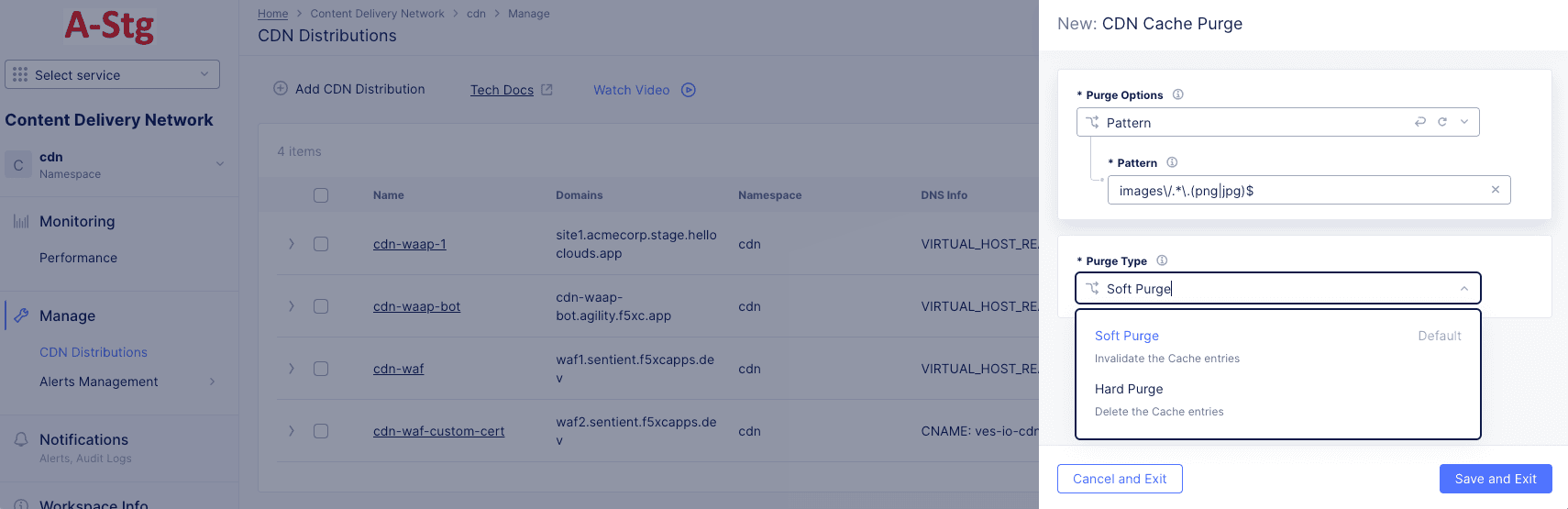
Figure: Purge Content From Distribution
- Soft Purge invalidates the cache entries. After a soft purge is completed, the object in the cache is validated with the origin to check for freshness. If the object is still valid, the new TTL's are applied. However, if the object is stale, then a new copy of the object is retrieved.
- Hard Purge removes the content from the distribution and forcing the next request to retrieve the content from the origin server.
-
Click Save and Exit to deploy the purge.
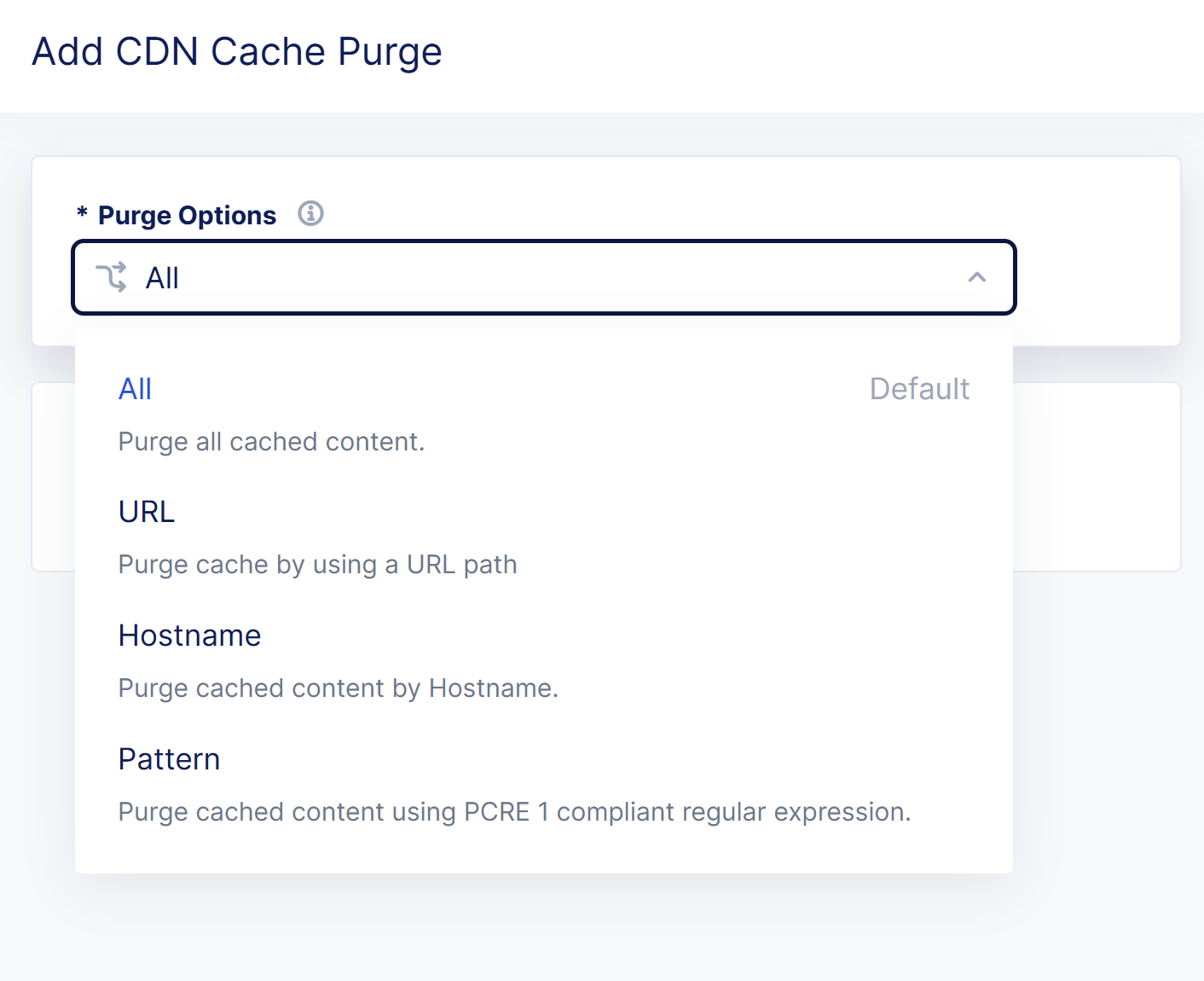
Note: You can also deploy a purge from the Cache Purges tab of the Performance Monitoring page. See the Cache Purges Tab for more details.
After you configure a Cache Purge action and save it, you can monitor the status of the Purge action in the Cache Purges tab of the Performance Monitoring page of the loadbalancer.
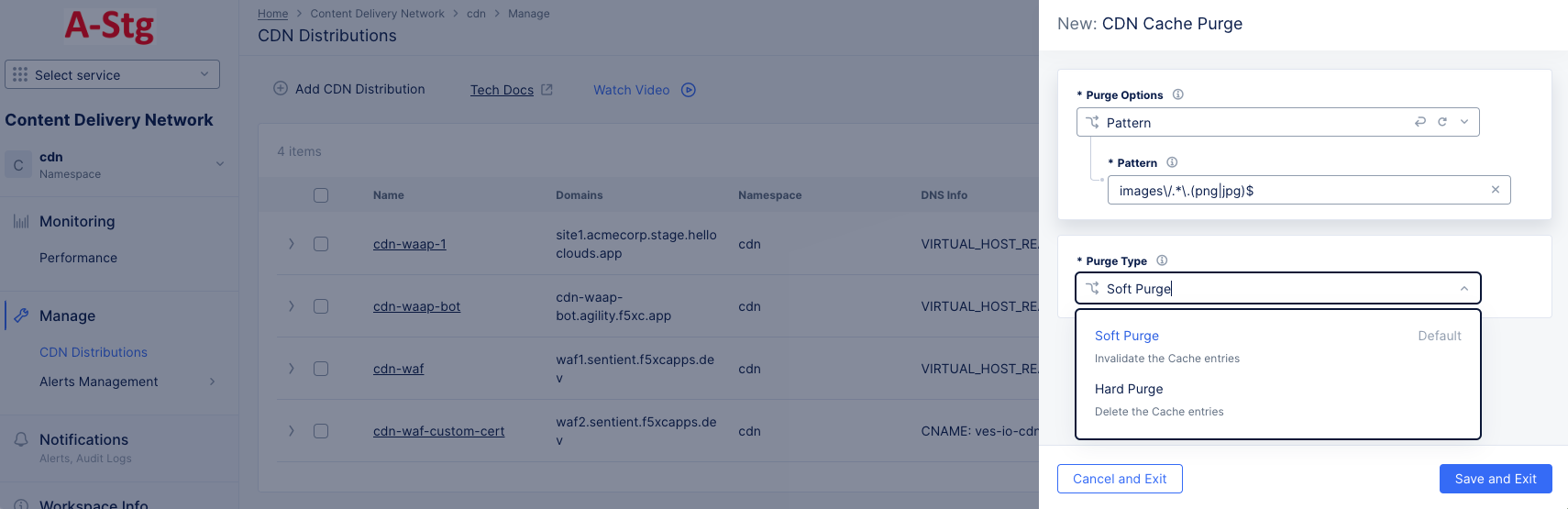
Figure: Performance Monitoring > Cache Purges
Note: When the Purge action starts, the status of the Purge action is in the Created state. After the Purge action is completed, the status is in the Deployed state.