
Understanding Risk Score
Risk Score
Risk Score is an AI-powered capability in F5 Distributed Cloud Web App and API Protection (WAAP) that assigns a score from 1–100 to every security event.
The score combines the probability that a request is a genuine attack with the potential impact if the attack succeeds. This enables security teams to prioritize investigations, reduce time spent analyzing false positives, and focus on the highest-risk events.
Risk Score is enabled by default for all Distributed Cloud WAF tenants. No additional configuration is required.
How Risk Score works
Risk Score is calculated using two independent components.
| Component | Description |
|---|---|
| Likelihood Score | Indicates the probability that a security event represents a genuine attack rather than a false positive. |
| Impact Score | Indicates the potential severity if the attack succeeds. |
These values are combined using the standard security risk model:
Risk = Likelihood × Impact
The resulting value is normalized to produce a Risk Score between 1 and 100.
Likelihood Score
Likelihood Score represents the confidence that an event is malicious.
A higher score indicates a greater probability that the request represents a genuine attack. A lower score indicates that the event is more likely to be benign or a false positive.
Likelihood Score is displayed independently from the overall Risk Score.
Note: Likelihood Score is calculated independently of WAF policy mode and does not differ between staged and enforced signatures.
Impact Score
Impact Score measures the potential consequences if an attack succeeds.
Impact Score is derived from multiple factors.
| Factor | Description |
|---|---|
| Confidentiality | Measures the potential exposure of sensitive information. |
| Integrity | Measures the potential modification of application or system data. |
| Availability | Measures the potential disruption to applications or services. |
| EPSS | Predicts the probability that a vulnerability will be exploited within the next 30 days. |
| Exploit maturity | Measures how easily and reliably a vulnerability can be exploited. |
Impact Score is displayed independently from the overall Risk Score.
Interpret Risk Scores
The Risk Score represents the overall security risk associated with a request.
| Score | Interpretation |
|---|---|
| Near 100 | High confidence that the request is malicious and high potential impact if successful. |
| Near 1 | High probability that the event is a false positive and low potential impact. |
View Risk Scores
To view Risk Scores:
- Navigate to Security Analytics.
- Filter events by Likelihood, if required.
- Filter events by CVE, if applicable.
- Open an event.
- Select Risk Score.
- Review the Risk Score breakdown.
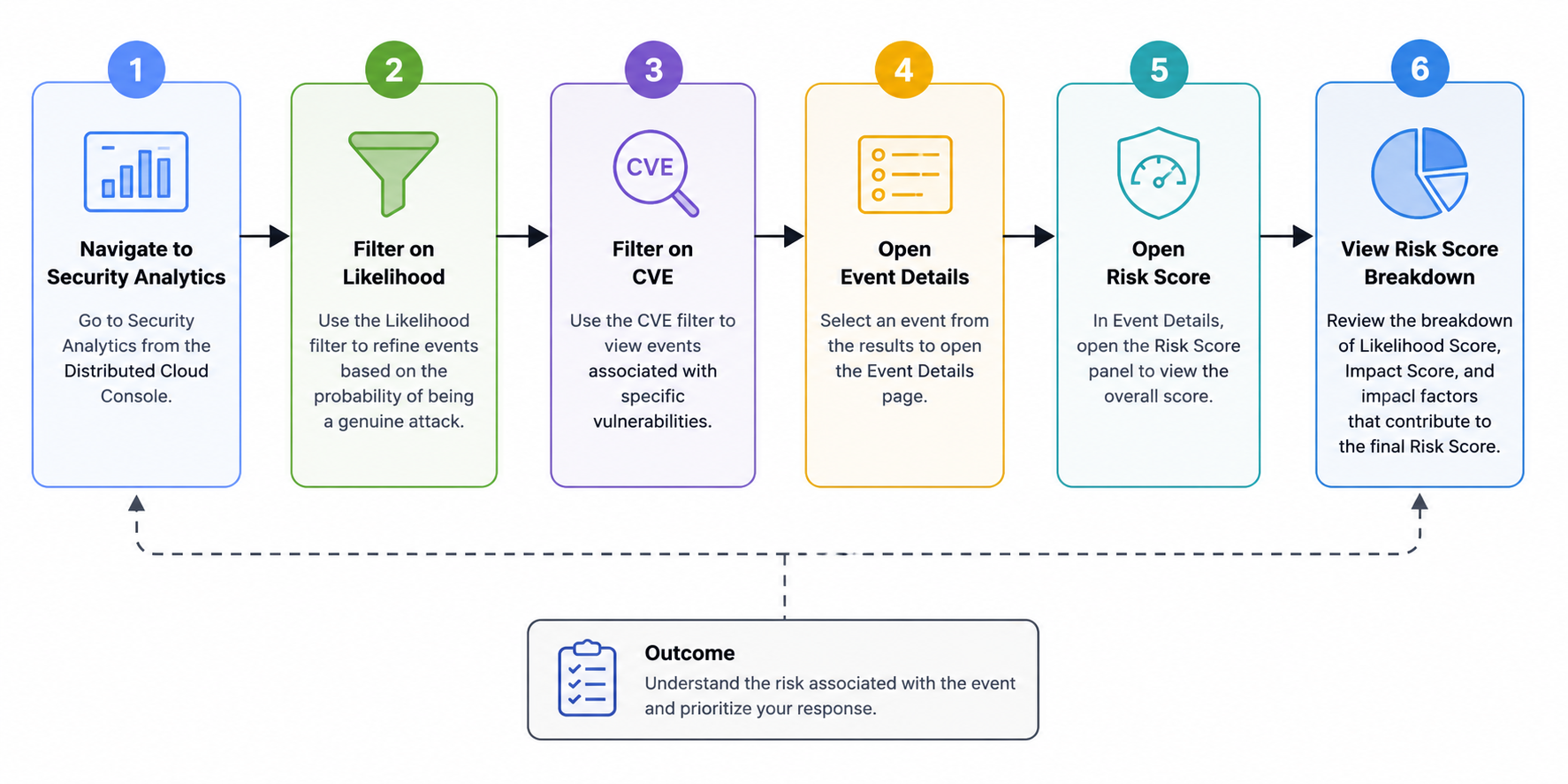
Workspace Role Concept Chart
- Overall Risk Score
- Likelihood Score
- Impact Score
- Impact factors that contributed to the final score
Security Analytics
The Security Analytics view displays the Risk Score for each security event, enabling you to quickly identify and prioritize high-risk requests. Select an event to view its detailed Risk Score breakdown.
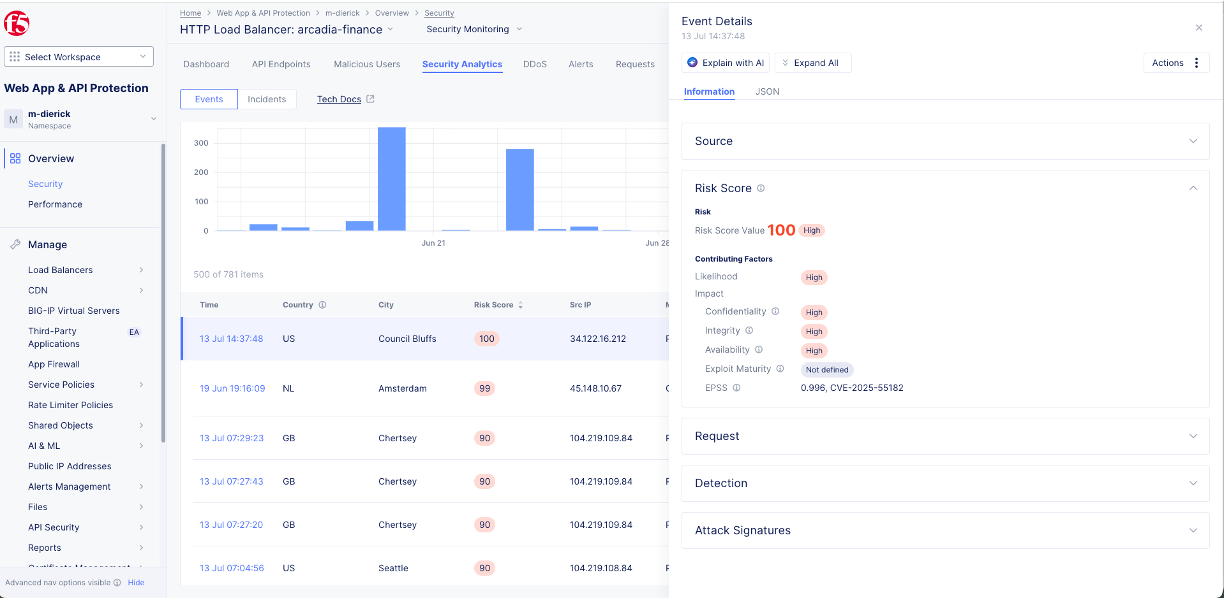
Security Analytics showing Risk Score
AI Assistant
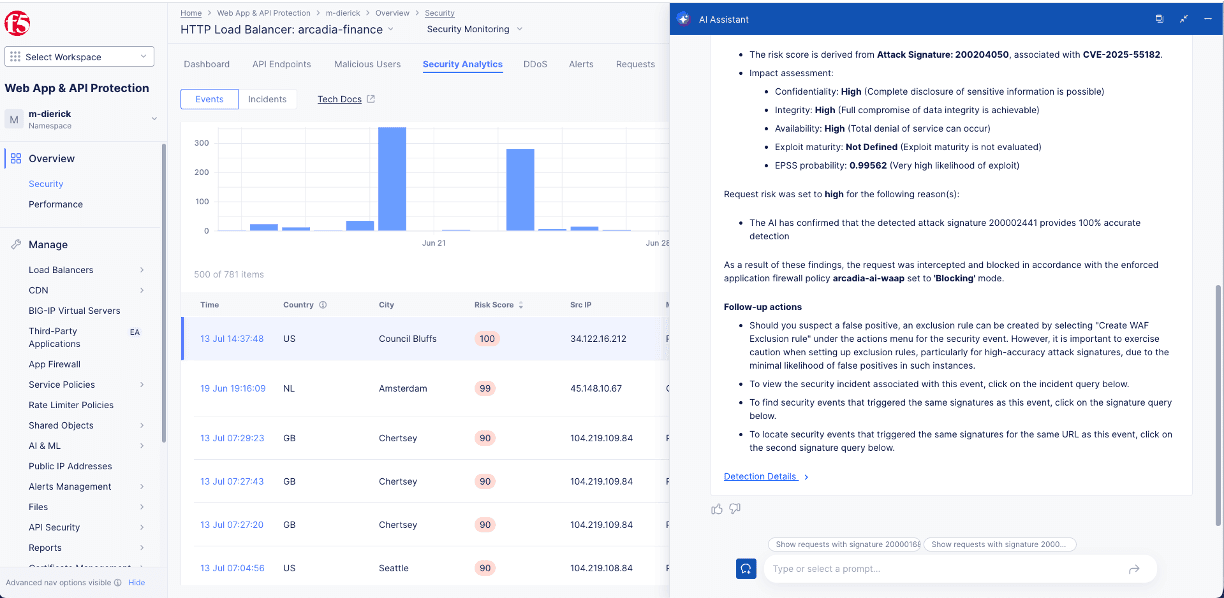
AI Assistant displaying Risk Score details
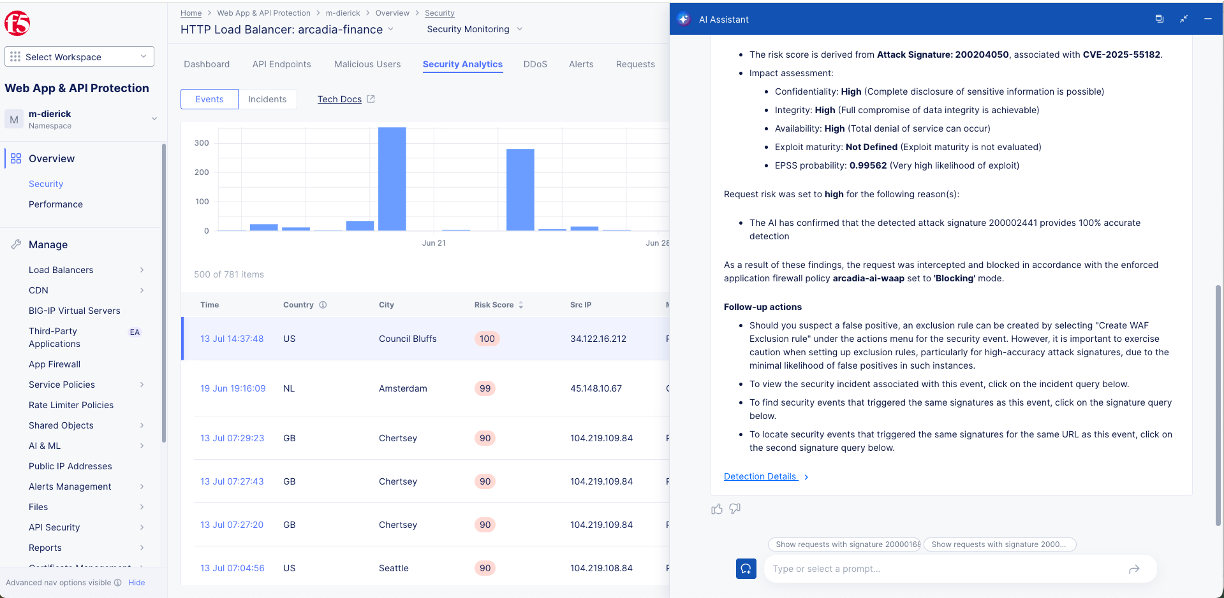
AI Assistant displaying Risk Score details